How to Get Your Kindle Unlimited Ebook Into Libraries (Without Breaking KDP Select)
KDP Select now allows library distribution. Here's how to put your Kindle+ ebook in public libraries through OverDrive/Libby and other library platforms, step by step, without breaking exclusivity, plus pricing and what libraries pay.
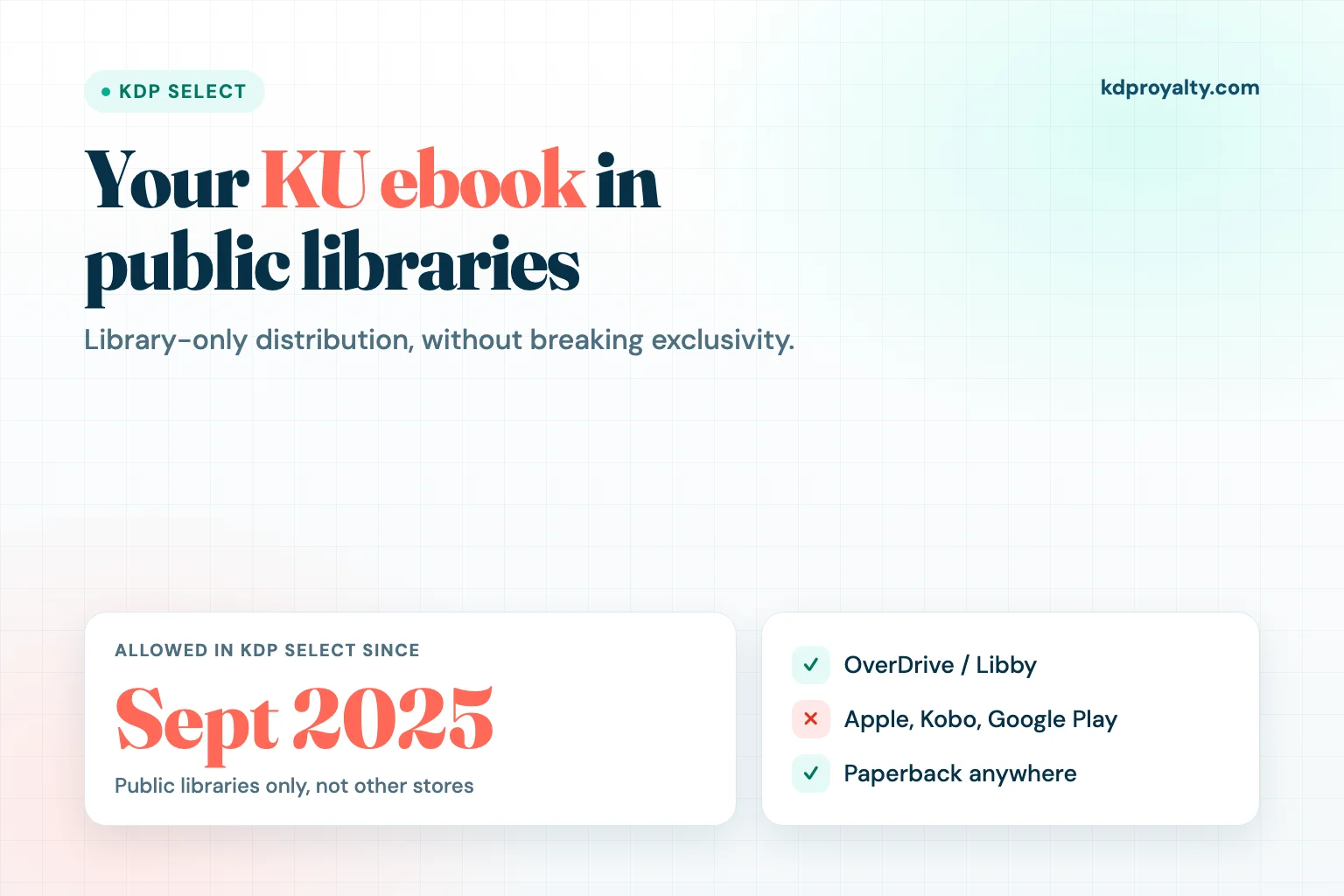
For years, putting your ebook in Kindle Unlimited (now Kindle+) meant giving up library readers. That's no longer true. Amazon's KDP Select rules now allow you to distribute an enrolled ebook to public libraries while it stays exclusive to Amazon for retail.
Libraries won't replace Amazon income, but they reach readers who would never find you on Amazon, they pay for every copy they license, and library readers often go on to buy the rest of a series. Here's how to do it without risking your KDP Select enrolment.
What Amazon Changed
KDP Select's exclusivity rule says your enrolled ebook can't be available in digital form anywhere else. In September 2025, Amazon quietly updated its "How to Enroll in KDP Select" help page to add public libraries as an allowed exception. Authors who asked KDP directly were told the same.
| Allowed while in KDP Select | Breaks KDP Select |
|---|---|
| Public library platforms (for example OverDrive/Libby) | Apple Books, Kobo, Barnes & Noble, Google Play |
| Your paperback and hardcover anywhere | Selling the ebook on your own website |
| Subscription services outside Amazon |
The rule applies to the ebook. Your print books were never restricted by KDP Select.
Check the current wording on KDP's "How to Enroll in KDP Select" help page before you start, and keep a screenshot for your records.
How Library Ebooks Reach Readers
Most public libraries buy ebooks through a few platforms. The biggest is OverDrive, whose reader app is Libby. Others include hoopla, BorrowBox and Bibliotheca. Libraries browse these catalogs and license copies; readers borrow them free with a library card.
Indie authors can't usually sell to these platforms directly, so you go through a distributor that offers library channels.
Step by Step: Library-Only Distribution With Draft2Digital
Draft2Digital (D2D) is free to join (it takes a share of each sale instead of an upfront fee) and has explained how to set up library-only distribution for KDP Select titles.
- Create a free D2D account and add your ebook (upload the EPUB or DOCX, cover and description).
- On the book's Publish step, you choose which channel types to distribute to: Digital Stores, Subscription Services and Library Services.
- Untick Digital Stores and Subscription Services. This is the important part: leaving either on would put your ebook in other stores and break KDP Select.
- Tick Library Services and choose the library platforms offered.
- Set your library price. D2D suggests one based on your ebook price.
- Publish, then check a few weeks later that the book appears in the library catalogs, and search Apple Books, Kobo and Google Play to confirm it isn't listed in any store.
It usually takes a couple of weeks for a new title to appear in OverDrive's catalog. Being in the catalog doesn't mean every library will buy it; librarians choose what to license.
Warning: be careful with any distributor where you can't choose library-only channels, or where the library option is bundled with retail stores. If your ebook shows up for sale in another store, Amazon can remove it from KDP Select.
How Library Pricing Works
Libraries don't pay retail prices. They pay for a licence, and the price is usually higher than your retail price because one copy is lent to many readers. Common licence models:
| Model | How it works |
|---|---|
| One copy, one user | The library buys a copy that one reader can borrow at a time |
| Cost per checkout | The library pays a fee each time a reader borrows the book, so many readers can borrow it at once |
| Metered access | The licence expires after a set number of loans or months |
Pricing tips:
- Use the distributor's suggested library price as a starting point.
- For a series, consider a lower library price on book one so librarians take a chance on it.
- Keep library prices reasonable. Libraries have tight budgets, and an indie ebook priced like a big publisher's will rarely be bought.
Is It Worth It?
Library distribution makes sense if:
- You write a series, so library readers can become buyers of later books
- Your genre is popular with library borrowers: mystery, romance, thrillers, fantasy, historical fiction, and children's and YA books
- You want new readers more than fast income
It matters less if you write short, low-priced ebooks or low-content books, where libraries rarely buy.
The upside is that it costs nothing to set up and doesn't affect your Kindle+ page reads, so for most fiction authors in KDP Select it's an easy win.
Help Librarians Find Your Book
Being in the catalog is step one. To get libraries to actually license it:
- Make your book easy to request: tell readers in your newsletter and back matter that they can ask their library to buy it through Libby. Reader requests are one of the main ways librarians choose indie books.
- Get professional reviews where possible; librarians look for them.
- Use complete metadata: series name and number, categories, a strong description and an age range for children's books.
- Contact your local library. Many libraries actively support local authors with events and local-author collections.
Quick Checklist
- Confirm the current KDP Select library exception on KDP's help page.
- Set up the ebook with a distributor that allows library-only distribution.
- Turn off every retail store and subscription service; turn on library services only.
- Set a sensible library price.
- Check after a few weeks that it's in library catalogs and in no other stores.
- Tell readers they can request it at their library.
Want to know whether KDP Select itself is paying off? Our Kindle Unlimited calculator shows what your page reads are worth, and the guide to Kindle Unlimited becoming Kindle+ covers this year's changes.
📊 Before you publish, run the numbers with our free KDP royalty calculator.
Frequently asked questions
Can I put my KDP Select ebook in libraries?
Yes. Since September 2025, KDP Select's help page lists public libraries as an allowed exception to ebook exclusivity. Selling the ebook in other stores, such as Apple Books or Kobo, still breaks KDP Select.
How do I get my self-published ebook into Libby?
Libby is OverDrive's reader app. Indie authors reach it through a distributor with an OverDrive library channel, such as Draft2Digital. Choose library services only if your ebook is in KDP Select.
Will library distribution affect my Kindle Unlimited page reads?
No. Library loans happen outside Amazon and don't change your Kindle+ page reads or KDP Select enrolment, as long as the ebook isn't for sale in other stores.
How much do libraries pay for indie ebooks?
Libraries pay for a licence rather than a retail copy. Prices are usually higher than retail because one copy is lent to many readers. Some platforms also use cost-per-checkout, paying a fee for each loan.
Does KDP Select restrict my paperback?
No. KDP Select exclusivity applies only to the ebook. Your paperback and hardcover can be sold and distributed anywhere, including to libraries and bookstores.
Topics
Ready to Run the Numbers?
Put this knowledge into action. Calculate your potential royalties before you publish.